> ## Documentation Index
> Fetch the complete documentation index at: https://docs.soroswap.finance/llms.txt
> Use this file to discover all available pages before exploring further.
# Swap Stellar Classic Assets
> Swapping Stellar Classic assets on Soroswap by pasting a CODE:ISSUER pair or Soroban address.
With Soroswap you can now swap stellar classic assets, this allows you to exchange one token for a stellar assets or viceversa. Follow the steps below to perform a swap:
## Step 1: Navigate to the Swap page
1. In the swap page you can now paste/use stellar assets CODE:ISSUER or its corresponding Soroban address.
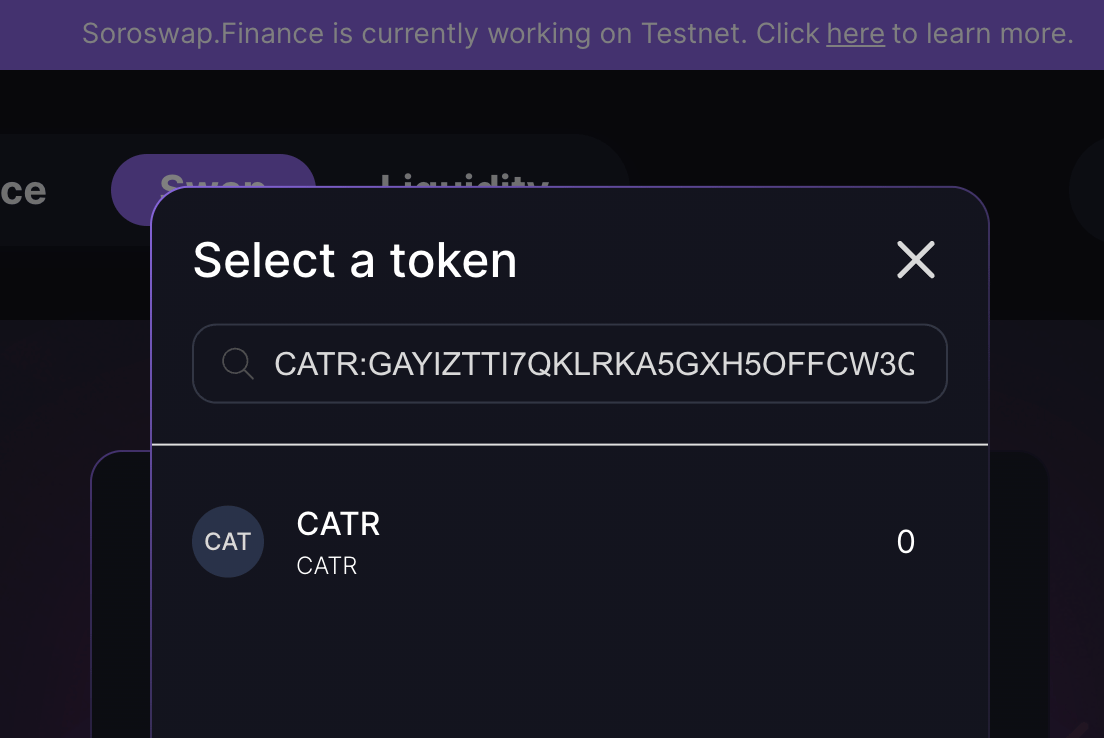 ## Step 2: Select the token
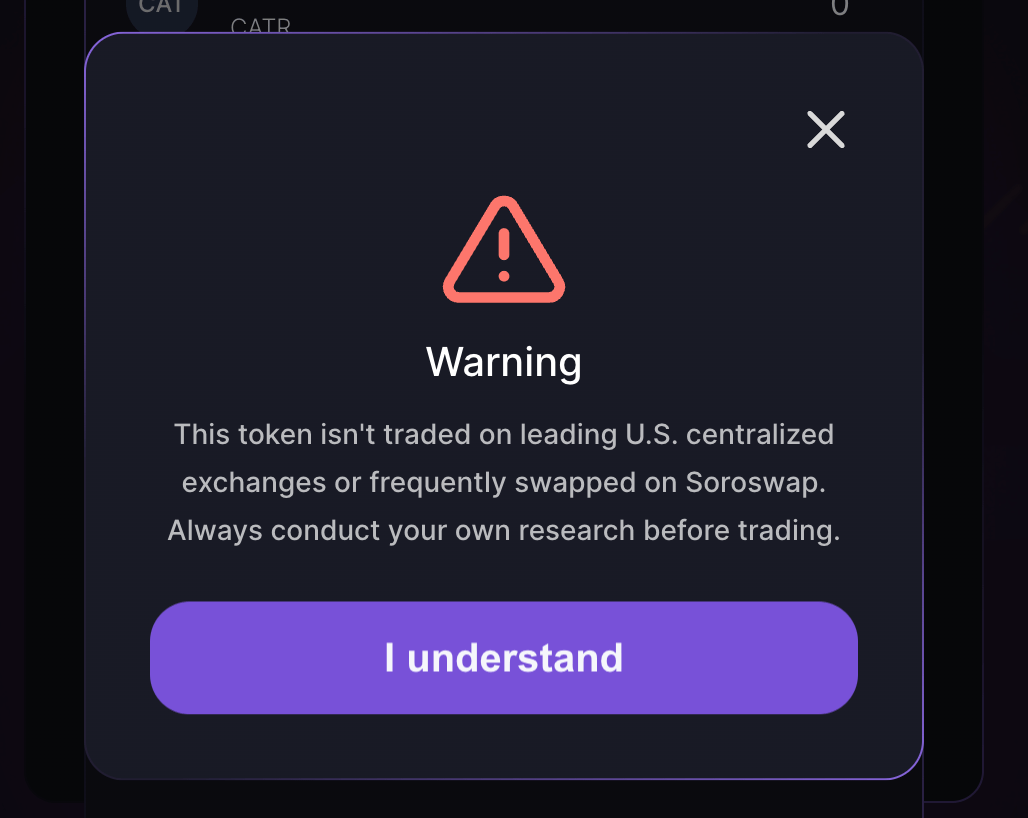
if the token isn't known for us we will ask you to accept the following popup, this will also add the token to your tokens list.
## Step 2: Select the token
if the token isn't known for us we will ask you to accept the following popup, this will also add the token to your tokens list.
 ## Step 3: Continue
You can follow the steps on [Doing Swap](/tutorials/doing-swap)
Congratulations! you have successfully swapped a Stellar Classic Assets
## Step 3: Continue
You can follow the steps on [Doing Swap](/tutorials/doing-swap)
Congratulations! you have successfully swapped a Stellar Classic Assets